
Costume Creation Basics
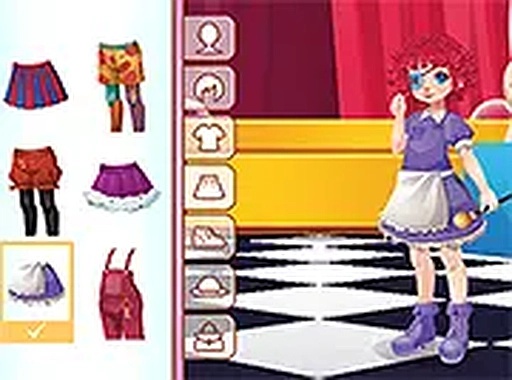
In Big Top Wardrobe Designer, the main activity centers on picking clothing pieces and accessories for a single character. Players see a virtual closet filled with circus-themed items like striped shirts, oversized bows, shiny boots, and playful headwear. Each piece can be clicked or tapped to instantly appear on the performer. The system allows for layering different garments, so a child might combine a polka-dot jacket with a ruffled collar and a tall hat. There are no rules about matching colors or patterns, so every combination is valid. This open-ended approach encourages kids to try unexpected pairings, like a purple cape with yellow gloves, without worrying about making a mistake.
Visual Style and Theme
The game adopts a bright, cartoon-like art style that fits the circus theme. Colors are vivid, with lots of reds, blues, yellows, and greens. The character has a friendly, expressive face that changes slightly when different accessories are added. Background elements, such as a striped tent or confetti, reinforce the carnival atmosphere. The interface uses large buttons and clear icons, making it easy for young children to navigate even if they cannot read. Sound effects are cheerful but not overwhelming, with a light musical loop that plays in the background. The overall presentation aims to feel welcoming and stimulating without being distracting.
Controls and Accessibility
Interacting with Big Top Wardrobe Designer requires only basic pointing and clicking or tapping. On a desktop computer, a mouse is sufficient to drag or select items. On a tablet or phone, the touch screen responds to taps. The game loads directly in a web browser, so there is no need to install any software or create an account. This makes it easy for a child to start playing immediately on a family device. Because the controls are simple, even preschoolers can participate independently. The lack of text-heavy menus also helps non-readers enjoy the experience without adult assistance.
Creative Exploration Without Pressure
A key design choice in this game is the absence of timers, points, or levels. Children can spend as long as they like browsing the wardrobe and trying different combinations. If they want to change an outfit, they can simply click a new item to replace the old one. There is no penalty for changing their mind multiple times. This low-stress environment supports open-ended play, where the goal is self-expression rather than achieving a high score. Parents may find this format useful for encouraging children to talk about their choices, such as why they picked a certain color or shape.
Sharing and Saving Creations
Once an outfit is complete, players have the option to save or share their work. The exact method may vary depending on the device, but typically the game provides a button to capture the current look as an image. This image can then be saved to the device or shared with family members. Some versions of the game might also include a simple gallery where past creations are stored. This feature adds a sense of accomplishment and gives children a way to show off their designs. It also encourages them to experiment more, knowing they can keep a record of their favorite combinations.
Comments
0 comments