
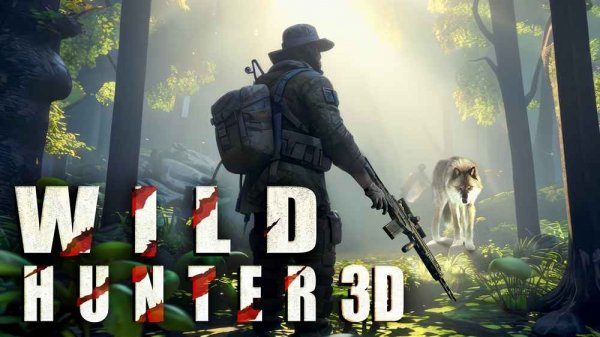
Tracking Across Diverse Landscapes
Wildlife Tracker 3D Explorer places you in three distinct outdoor settings: dense woodlands, frozen tundra regions, and arid desert expanses. Each environment presents unique challenges in terrain and animal behavior. Dense forests offer plenty of cover but also limit visibility, while open tundra makes it harder to approach without being noticed. Deserts combine heat and sparse vegetation, requiring different strategies to get close enough for a clear sighting.
Animal Behavior and Reaction Patterns
The animals in this simulation behave in ways that reflect their real-world counterparts. Bears may become aggressive if startled, while deer tend to flee quickly when they sense movement. Wolves travel in packs and are more alert to sound, and buffalo can charge if provoked. Crocodiles are often found near water sources and require extra caution. Understanding these patterns is essential for successful observation without causing disruption.
Accuracy and Distance Feedback
Each successful observation provides a distance measurement, giving you a clear sense of your spotting precision. The game rewards closer, clearer sightings with higher points. This feedback loop encourages you to refine your approach and positioning. The zoom feature helps with distant targets, but moving too fast or making noise can alert animals and ruin the opportunity.
Equipment and Customization Options
An in-game store offers several tool types that can be selected before each session. These tools may affect your movement speed, zoom capability, or stealth level. Choosing the right equipment for the environment can make a noticeable difference. For example, a tool that dampens footstep noise is more useful in quiet forests than in windy deserts.
Progression and Objective Structure
Each level presents a clear set of targets, such as observing a specific number of a certain animal species. Completing these objectives unlocks the next area. The difficulty gradually increases as animals become more skittish and terrain more challenging. This structure provides a steady sense of accomplishment and encourages repeated play to improve scores.
Controls and Accessibility
On PC, movement is handled with the WASD keys, while the mouse controls aiming and interaction. The Shift key allows for short bursts of speed, and the Space bar is used for jumping over obstacles. Mobile versions include on-screen buttons for all actions. Sensitivity settings can be adjusted to match personal preference, making the game accessible to players of different skill levels.
Comments
0 comments