Bricks Puzzle Classic

Bricks Puzzle Classic

Developer: Delta Pixel Core
Published: 2025-11-30
Updated: 2026-06-12

Reviews

Bricks Puzzle Classic captures the essence of the original block puzzle with a polished, distraction-free interface. The controls are responsive, and the game runs without lag on any device. Its replayability is high because each round is unique, and the gradual speed increase keeps the challenge alive. It is an excellent choice for anyone looking to unwind while keeping their mind active. The simple premise makes it accessible, but mastering line clears requires practice.

Description

Game Introduction

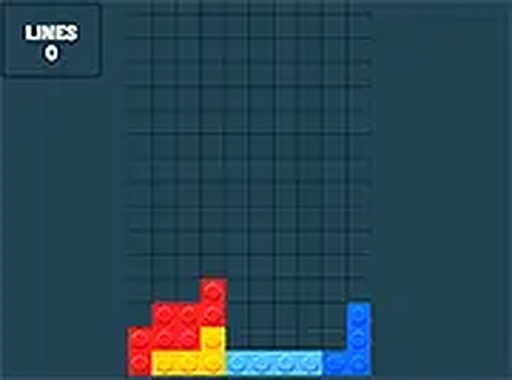
Bricks Puzzle Classic is a browser-based puzzle game that challenges players to arrange falling blocks into complete horizontal lines. The core objective is to prevent the stack from reaching the top of the play area by clearing lines efficiently. Each session is unique due to the random order of brick shapes, blending luck with strategic planning. Its simple yet addictive mechanics have made it a timeless favorite for casual gamers and puzzle enthusiasts alike. The game is designed for instant play on any device, offering a clean and distraction-free experience.

How to Play

Players control a falling brick as it descends into the play area. Using a mouse or touchscreen, they can move the brick left or right and rotate it to fit into the existing stack. The goal is to fill complete horizontal lines without gaps; when a line is completed, it disappears and awards points. A preview of the next brick helps with planning. The game ends when bricks accumulate to the top. Speed may increase over time, adding to the challenge. No registration is required, so players can start immediately.

Game Features

Features include classic brick-stacking gameplay with a modern, clean interface. It is free to play online with no downloads or sign-ups required. Full screen mode is available for an immersive experience. The game works smoothly on desktop, tablet, and mobile devices. It offers a relaxing brain training exercise that sharpens spatial reasoning skills. The familiar mechanics provide comfort, while the need for quick thinking keeps the experience engaging.

Tips for Success

To improve, practice placing bricks efficiently to minimize gaps. Watch for opportunities to clear multiple lines at once, as this yields higher scores. Plan ahead by using the next-brick preview to anticipate placements. Keep the stack as flat as possible to avoid uneven piles that are harder to manage. Stay calm under pressure, as speed may increase. Regular practice helps develop faster reflexes and better spatial awareness.

Compatibility

▸ Desktop: Chrome / Edge / Firefox / Safari
▸ Mobile: iOS Safari / Android Chrome
▸ Tablet: iPadOS Safari / Android Tablet Browser
Keep your browser updated for the best experience
Faq
Is Bricks Puzzle Classic free to play?
Yes, the game is free to play online. There are no hidden fees, downloads, or registration required. You can start playing directly in your browser on any device.
Can I play Bricks Puzzle Classic on my mobile phone?
Yes, the game is designed to work smoothly on desktop, tablet, and mobile devices. It uses touchscreen controls, so you can play on your phone or tablet without any issues.
Does the game have a high score system?
While not explicitly stated, many games of this type include a score tracker that displays your current score and may save your best score locally. Check the game interface for such features.
What happens when the bricks reach the top?
When the bricks pile up to the top of the play area, the game ends. This is the standard loss condition for this type of puzzle game. You can then start a new session to try for a higher score.
Is there a time limit in Bricks Puzzle Classic?
There is no fixed time limit. The game continues as long as you can keep the stack from reaching the top. However, the falling speed may gradually increase, making it more challenging over time.
Can I pause the game?
Most browser-based puzzle games include a pause feature, typically accessible via a button or the Escape key. This allows you to take a break and resume your session later. Check the game controls for details.
Advertisement